
10.Human Resource
10.1 Human resource access
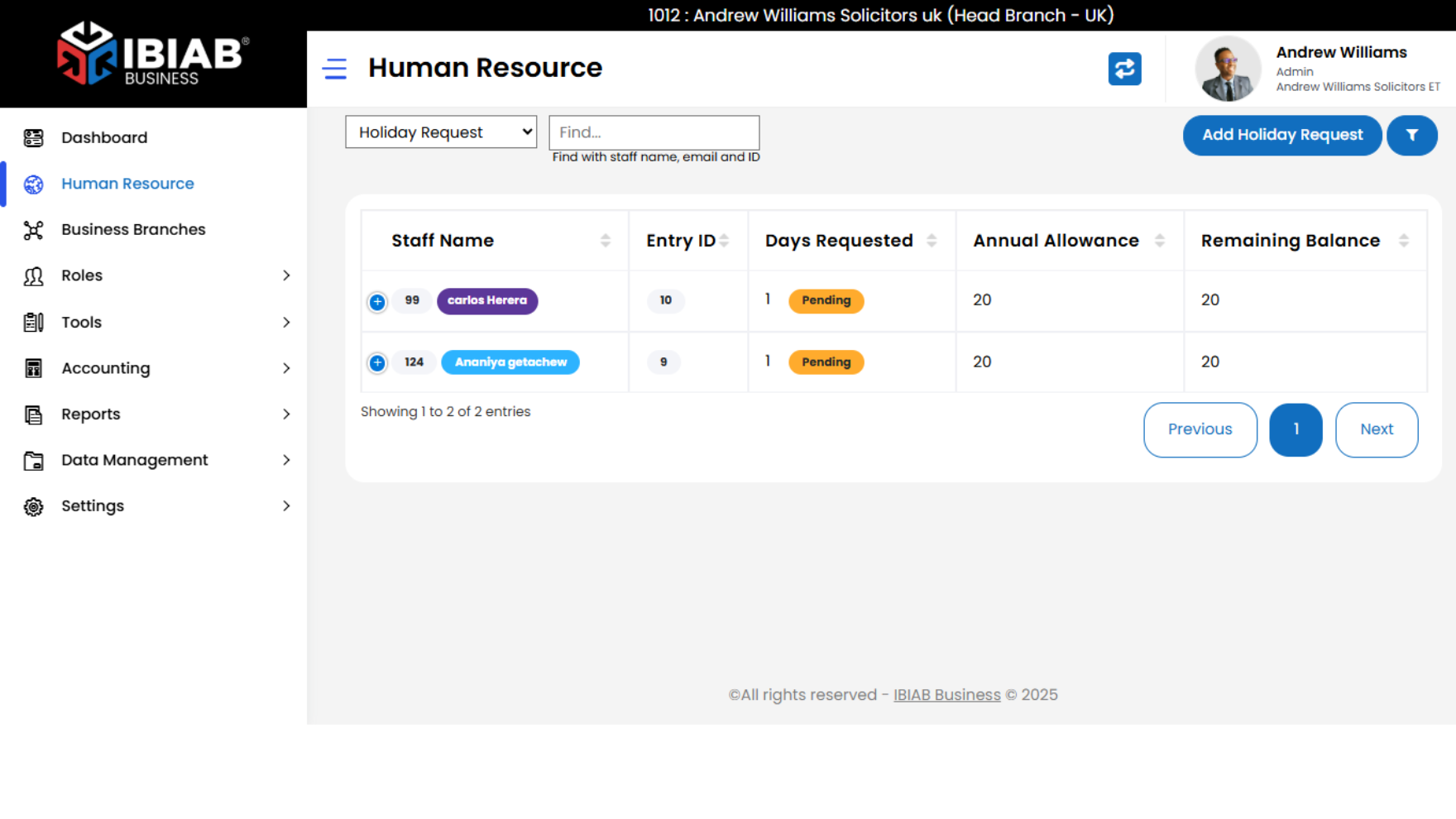
When a user clicks on the “Human Resource” tab, the system displays a structured list of staff members along with key leave-related information.
Table Columns Displayed:
- 👤 Staff Name – Full name of the employee
- 🆔 Entry ID – Unique employee or system-generated ID
- 📅 Days Requested – Number of leave days requested (pending or approved)
- 📘 Annual Allowance – Total leave days allocated for the year
- 🧾 Remaining Balance – Leave days still available for the employee
suggestions:
- Add filter and sort options by name, department, or status
- Include a “View Details” or “Approve/Reject” button per row
10.2. Managing each record
Actions Available Per Row:
- ✏️ Edit – Modify the holiday request (e.g. adjust days, update status)
- 🔍 View – Open a detailed view of the request and staff profile
- 🗑️ Delete – Remove the record from the system (with confirmation prompt)
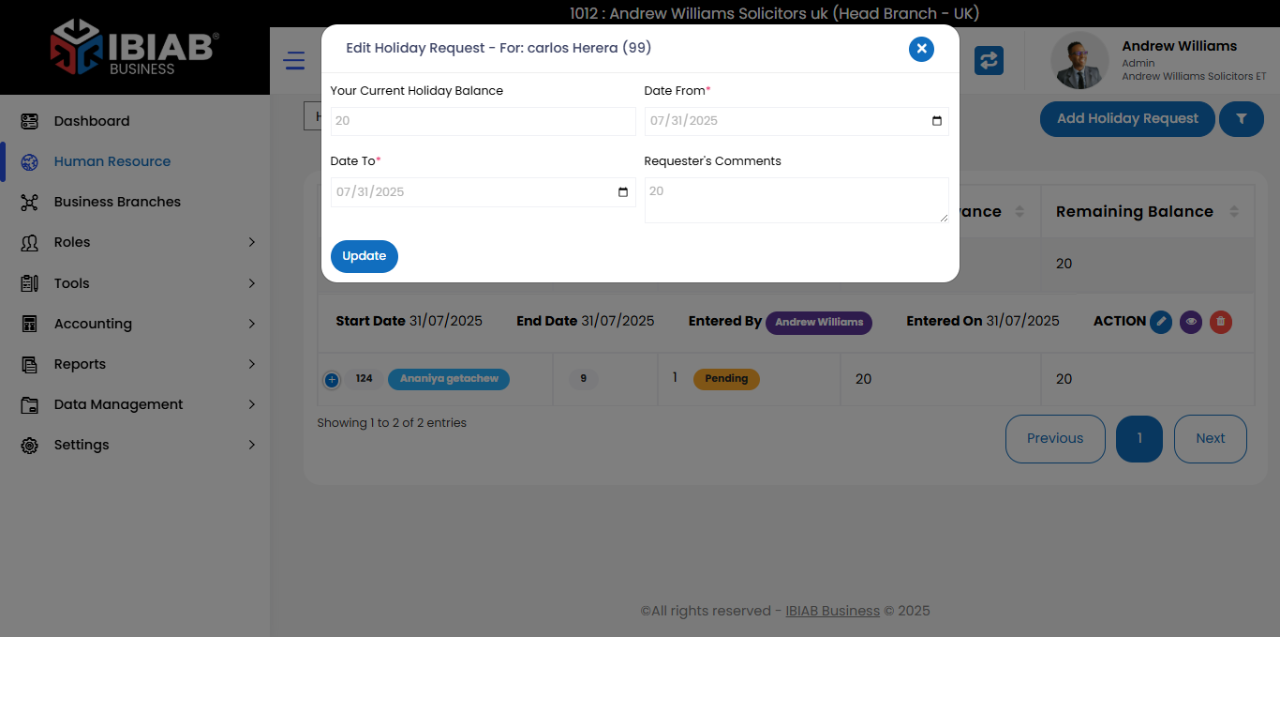
When the “Edit” button is clicked in the holiday request table, a popup modal appears allowing the user to update the request details.
🧾 Fields :
🧮 Your Current Holiday Balance
Read-only field displaying the employee’s up-to-date leave balance.
📅 Date From*
Required field
Start date of the requested holiday period (date picker)
📅 Date To*
Required field
End date of the requested holiday period (date picker)
💬 Requester’s Comments
Optional field
A text area for any notes or reasons for the leave request
10.3 Add Holiday Request
Purpose:
Allows HR or employees to submit a new holiday request with all required details.
📝 Form Fields:
- Add For*
- Dropdown to select the staff member role and a new field will appear to select a specific staff
- Your Current Holiday Balance
- Read-only field
- Shows remaining leave days for the selected user
- Date From*
- Required field
- Start of the requested holiday (with calendar picker)
- Date To*
- Required field
- End of the requested holiday (with calendar picker)
- Requester’s Comments
- Optional field
- Text area to provide context, reason, or additional notes