
7.1 Disbursement
📄 Disbursement Management
The Disbursement Page is a core part of the Accounting Module within your system. It allows businesses to efficiently manage all financial disbursements—whether internal costs or client-related expenses—ensuring accurate bookkeeping, accountability, and financial transparency.
📌 Purpose:
This page is designed to centralize the recording, tracking, and management of all outgoing payments or costs categorized as disbursements. It helps users log every financial outflow with detailed metadata, keeping your business financially organized and audit-ready.
🔧 How to Access:
Navigate to the Accounting section from the side menu and click on Business Disbursement Settings. This will open the Disbursement Management Page.
📊 Disbursement List Overview:
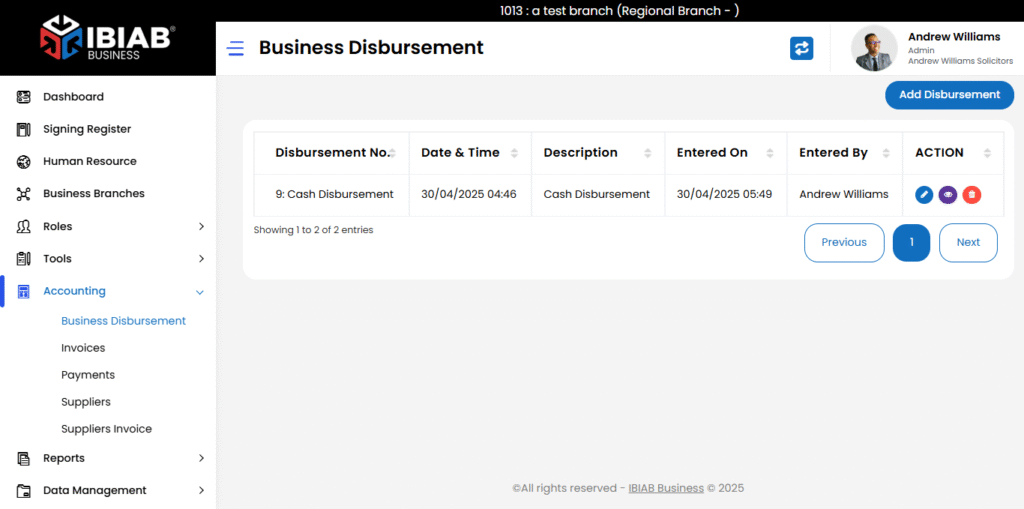
Once on the page, you will see a table format displaying all previously added disbursement records. The table includes the following columns:
- Disbursement No. – A unique identifier for each disbursement entry.
- Date & Time – When the disbursement occurred.
- Description – A brief explanation or note about the disbursement.
- Entered On – The exact timestamp the record was added.
- Entered By – The user who submitted the disbursement.
- Action – Options to View, Edit, or Delete the entry.
➕ Adding a New Disbursement:
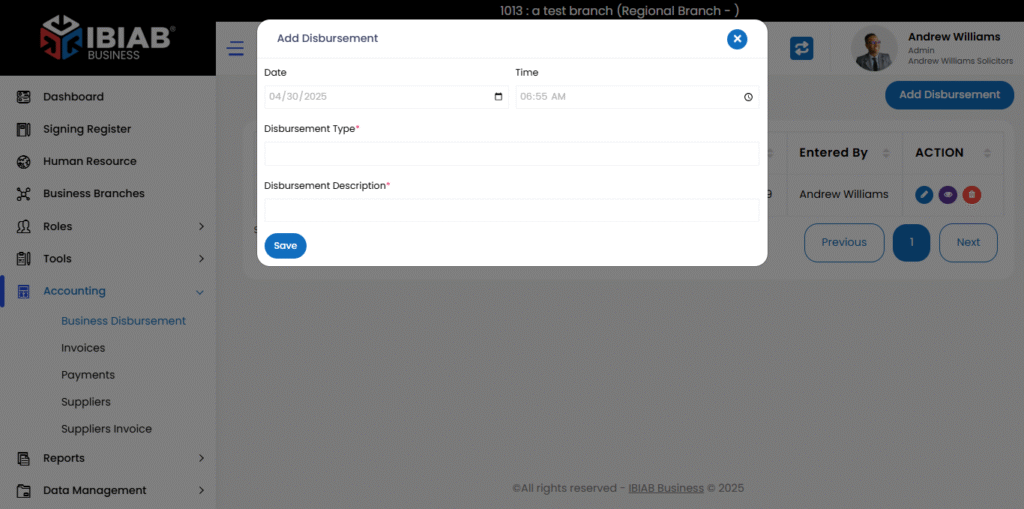
To add a new disbursement:
- Click the Add Disbursement button located at the top-right corner of the page.
- A pop-up form will appear. Fill out the following required fields:
- Date – The date the disbursement occurred.
- Time – The time of the transaction.
- Disbursement Type* – Provide Disbursement types (e.g., travel, legal fee, courier).
- Disbursement Description* – Provide a clear, concise explanation of the expense.
- Click Save to store the record.
✏️ Editing an Existing Disbursement:
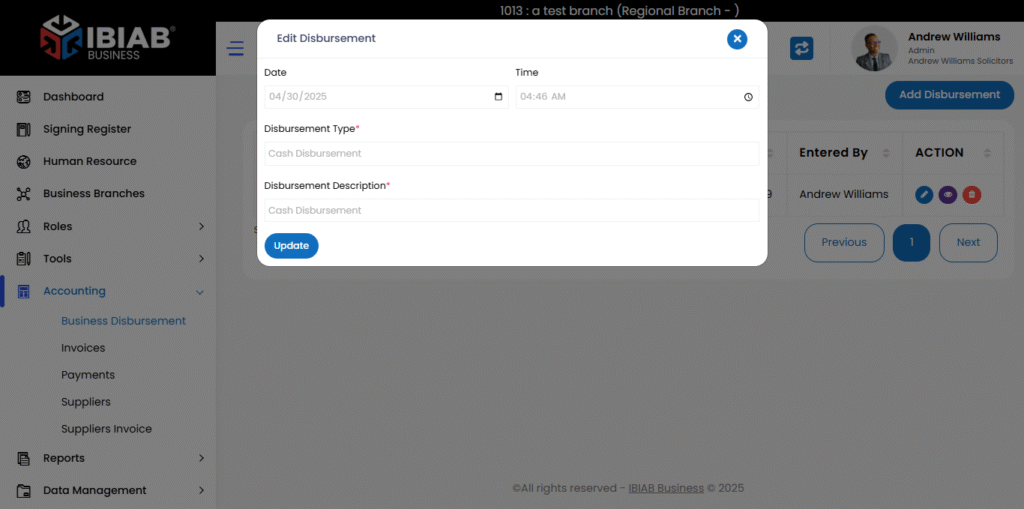
To edit an existing record:
- Click the Edit button under the “Action” column for the relevant disbursement.
- The form will pop up pre-filled with the current data.
- Make your changes and click Update to save.
🗑 Deleting a Disbursement:
- Click the Delete button in the “Action” column.
📈 Use Cases & Benefits:
✅ Accurate Expense Tracking
Track and record every outgoing payment in real time, reducing the risk of financial discrepancies.
✅ Improved Audit Trail
Each entry logs the user and timestamp, which strengthens internal audit readiness and transparency.
✅ Client Billing & Reimbursement
Useful for businesses that bill clients for expenses (e.g., legal or consultancy firms). Ensures every disbursement is documented and linked to the correct client or case.
✅ Operational Clarity
Provides finance teams and management a clear breakdown of company expenses across branches, departments, or cases.
✅ Custom Disbursement Types
Supports tailored classification of expenses for clearer accounting and easier reporting.
💡 Pro Tips:
- Use standardized disbursement types to make reporting easier.
- Regularly review and clean up disbursement records for better organization.
- Assign permissions to ensure only authorized users can manage financial records.