3.Time Tracking
3.1. Signing In Register
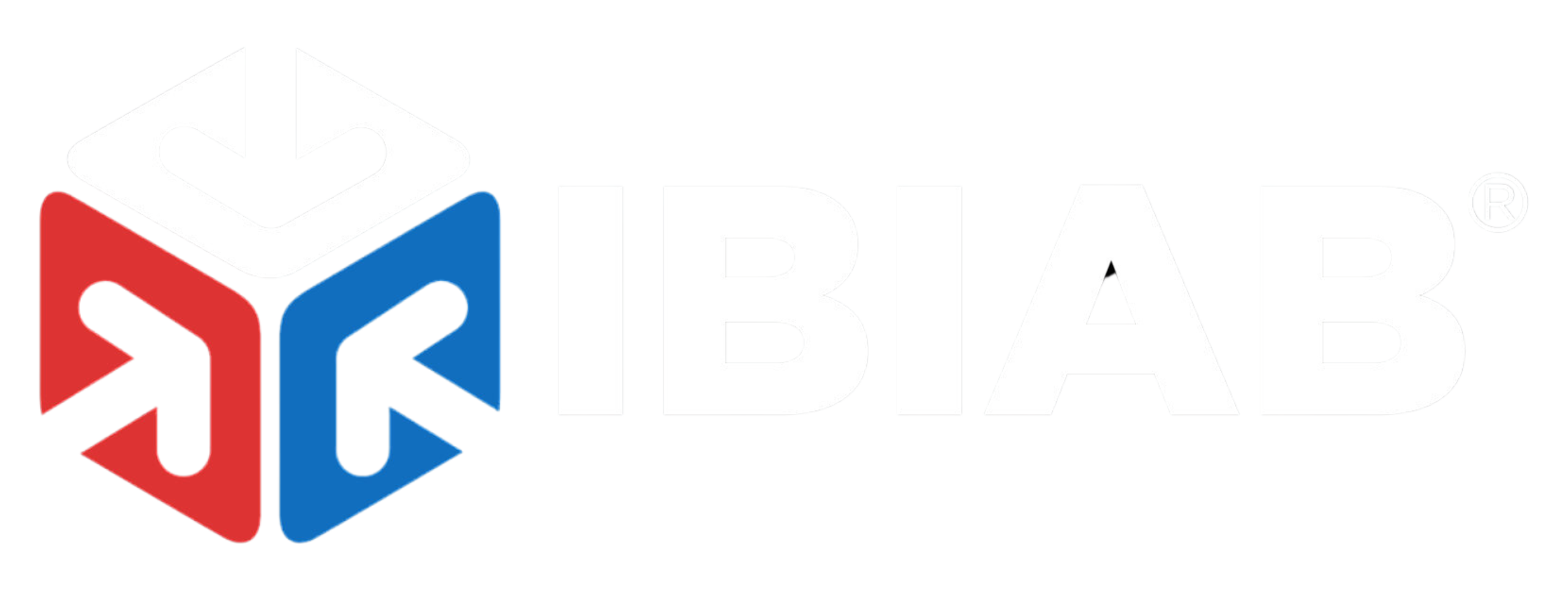
The Sign-In Register helps your business track working hours by allowing users to sign in when they log in to the system or start working.
📝 Sign-In Form Fields:
- Sign-In Date* – Select the date of sign-in.
- Sign-In Time* – Enter the exact time of signing in.
- Are you signing in late?* – Indicate if the sign-in is delayed.
📌 This module ensures accurate time tracking for employee attendance and productivity monitoring.
3.2. Signing Out Register
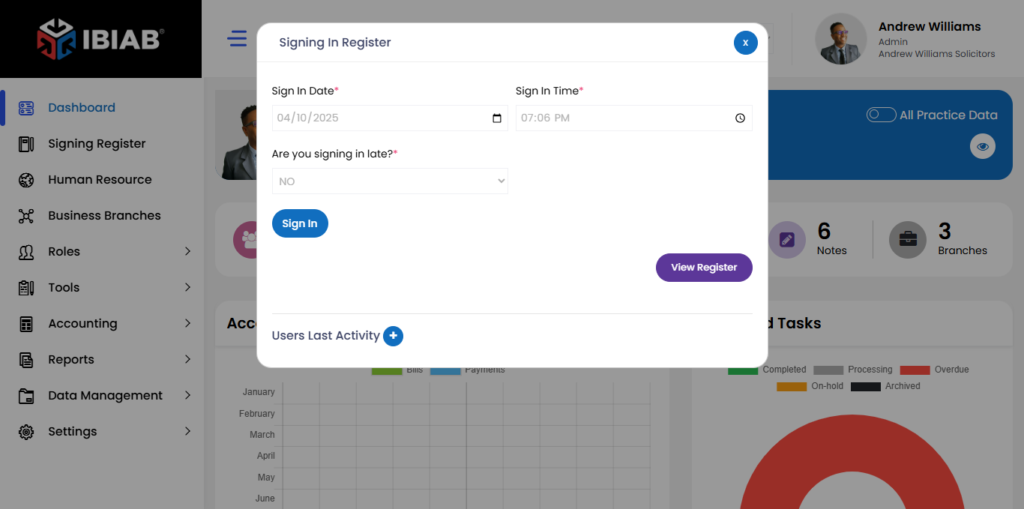
The Sign-Out Register helps track working hours by allowing users to sign out when they log out or stop working.
📝 Sign-Out Form Fields:
- Sign-Out Date* – Select the date of sign-out.
- Sign-Out Time* – Enter the exact time of signing out.
- Reason for Signing Out* – Provide a reason for logging out.
📌 Ensures accurate tracking of work hours and employee activity.
3.3 Signing Register Entries
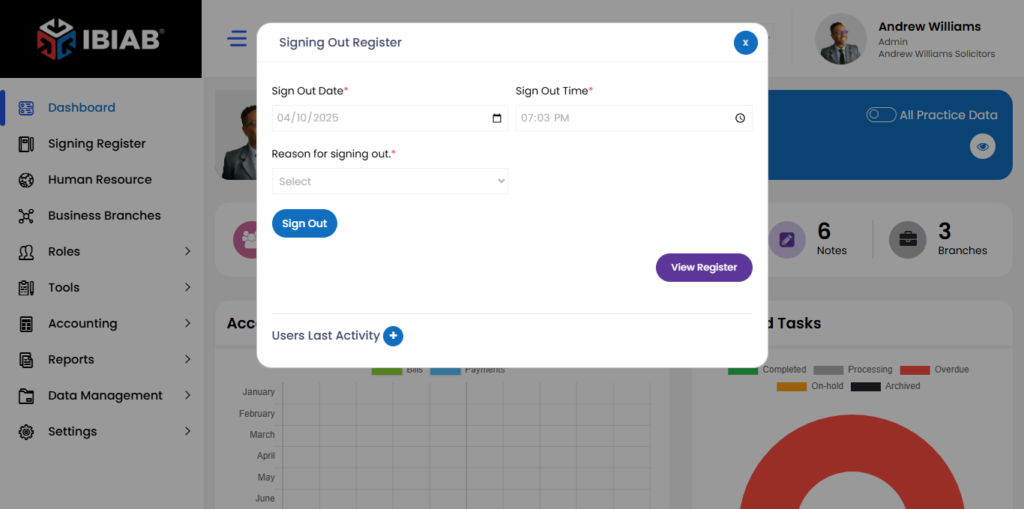
The Signing Register Entries page displays all tracked sign-in and sign-out records for users.
📊 Data Fields:
- Date & Time – Timestamp of sign-in or sign-out.
- User – Name of the user.
- User ID – Unique identifier for the user.
- Status – Indicates whether the entry is a sign-in or sign-out.
- Reason – Reason provided for signing out (if applicable).
- Entered On – Date when the record was logged.
📌 Helps monitor employee working hours and track attendance efficiently.