
Immigration
Immigration Module Description
Once enabled, you will see the following options under each customer or lead:
The Immigration module is a powerful feature designed to streamline and centralize all immigration-related tasks and documentation within your organization. When this module is toggled ON in the Modules Settings, additional immigration-specific options become available under the Details section of each Customer and Lead profile. This ensures that immigration services are seamlessly integrated into your workflow, giving your team direct access to key case components without navigating away from the client’s record.
Edit Biometric – Manage and update biometric data such as passport scans, residency card upload dates, and other identity verification documents.
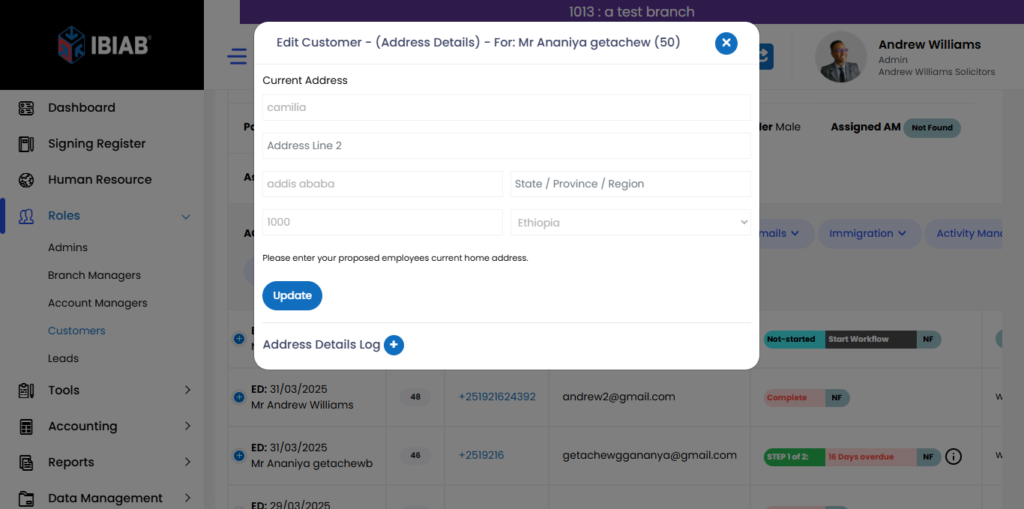
The Edit Biometric form allows you to securely upload and update essential biometric documents related to the customer or lead. This form includes fields for:
- Upload Residency Card – Upload a valid residency card for the individual.
- Residency Card Upload Date – Specify the exact date the residency card was uploaded.
- Upload Passport – Upload a scanned copy of the passport.
- Passport Upload Date – Record the date on which the passport was uploaded.
This section ensures all critical identification documents are digitally stored and easy to access for future verification or processing.
Edit Employment – Record and maintain employment details including employer name, job title, salary, and other key data relevant to immigration processes.
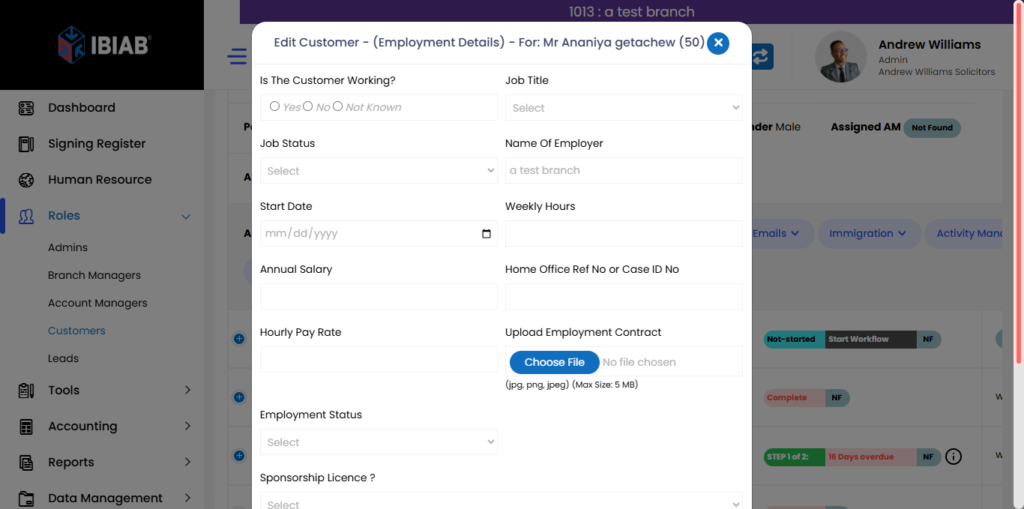
The Edit Employment form is designed to collect and manage comprehensive employment details for the customer. It provides a clear snapshot of their current or past job status, which can be useful for immigration processing, compliance checks, and internal records. The form includes the following fields:
- Is the Customer Working? – Choose from Yes, No, or Not Known to indicate employment status.
- Job Title – Enter the customer’s official job title.
- Job Status – Specify the type of employment (e.g., full-time, part-time, temporary).
- Name of Employer – Record the name of the organization where the customer is or was employed.
- Start Date – Provide the date when employment started.
- Weekly Hours – Indicate the number of hours worked per week.
- Annual Salary – Enter the yearly gross income.
- Home Office Ref No or Case ID No – Input any official reference or case number, if applicable.
- Hourly Pay Rate – Record the hourly wage.
- Upload Employment Contract – Attach a scanned copy of the employment contract for verification.
- Employment Status – Additional notes or tags about employment status.
- Sponsorship Licence? – Indicate if the employer holds a sponsorship licence (Yes/No).
- Professional Licence? – Indicate if the job requires a professional license (Yes/No).
This form ensures all employment-related documentation and data are centrally managed and accessible when needed.
Edit Case Detail – Input and track critical case information such as visa type, application status, submission details, and legal references tied to the immigration journey.
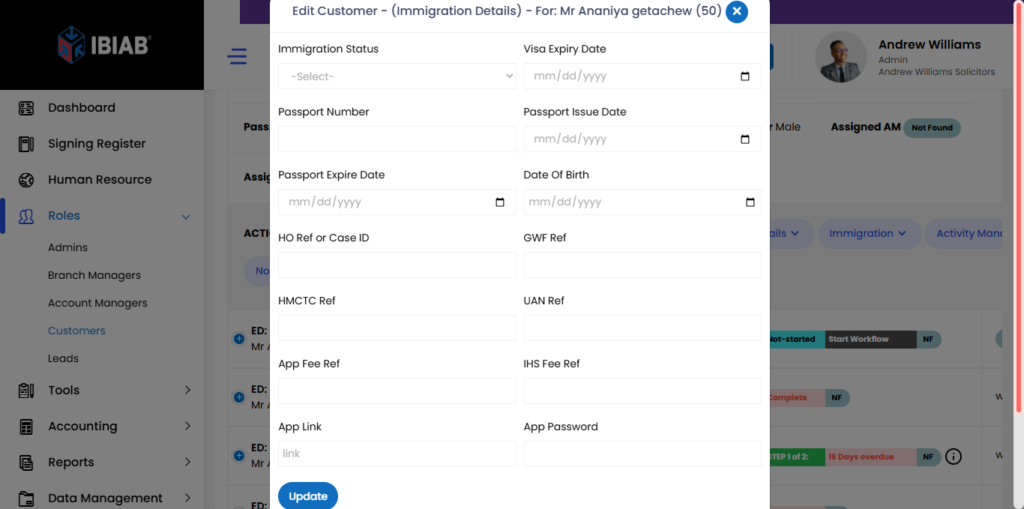
This module is especially useful for immigration consultants, legal teams, and HR departments managing global talent, allowing for organized record-keeping, compliance management, and smooth case progression—all from one place.
Here are the fields included in the form:
- Immigration Status – Specify the customer’s current immigration status (e.g., Student Visa, Skilled Worker, Indefinite Leave to Remain).
- Visa Expiry Date – Enter the date when the current visa is set to expire.
- Passport Number – Record the customer’s valid passport number.
- Passport Issue Date – Input the date the passport was issued.
- Passport Expire Date – Provide the expiration date of the passport.
- Date of Birth – Enter the customer’s full date of birth.
- HO Ref or Case ID – Home Office or official case reference number, if available.
- GWF Ref – Global Web Form reference, used for visa applications.
- HMCTC Ref – Reference related to Her Majesty’s Courts and Tribunals Service.
- UAN Ref – Unique Application Number reference.
- App Fee Ref – Application fee reference number.
- IHS Fee Ref – Immigration Health Surcharge fee reference number.
- App Link – A direct link to the visa application portal or service.
- Link – Additional related link, if needed.
- App Password – Password associated with the application link or system.
This form serves as a centralized hub for all critical immigration case details, ensuring accuracy and ease of access for case handlers or legal advisors.